
Documentation
Welcome to the official documentation for fit.photos. Our mission is simple: Product Photos, Perfected in Seconds.
What is fit.photos?
fit.photos is an AI-powered image processing workflow designed specifically for high-volume e-commerce sellers. It automates the tedious work of background removal, centering, and resizing, ensuring your product catalog meets strict marketplace requirements instantly.
Go to DashboardThe Challenge
In the competitive world of e-commerce, image quality determines trust. Yet, maintaining a consistent catalog across thousands of SKUs is a logistical nightmare.
The "Manual Labor" Trap
Resizing and padding images one by one in Photoshop is not just slow—it's expensive. A catalog of 1,000 items can take weeks to process manually.
Platform Rejection Risks
Amazon and Google Shopping have strict guidelines (e.g., pure white background, 85% product fill). Non-compliant images lead to suppressed listings and lost sales.
The Solution
fit.photos replaces your manual editing team with an intelligent, automated pipeline. We don't just crop; we understand the product.
- Smart Object Detection: AI identifies the product vs. the prop.
- Auto-Centering & Padding: Consistent margins every single time.
- Batch Processing: Edit hundreds of images in the time it takes to sip your coffee.
- Multi-Platform Export: One master image, infinite output formats.
User Guide: From Raw to Ready
Connect & Configure
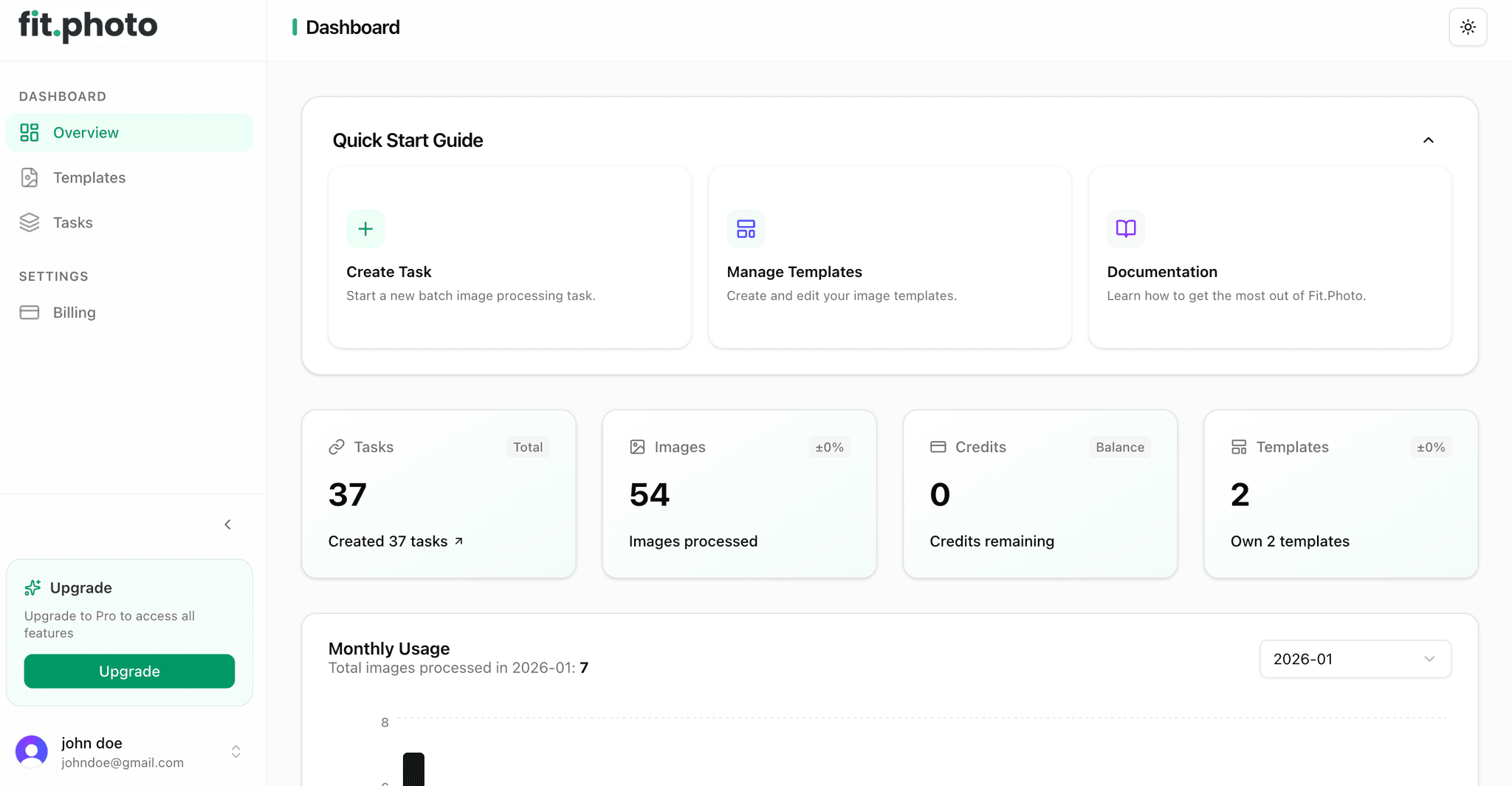
Start by accessing your dashboard. Here you can verify your credits and see a snapshot of your recent activity. The interface is designed for speed and clarity.
Pro Tip: Batch Naming
Organize your source folders by SKU before uploading. Our batch processor respects folder structures, making it easier to match processed images back to your inventory system.
Templating & Standards
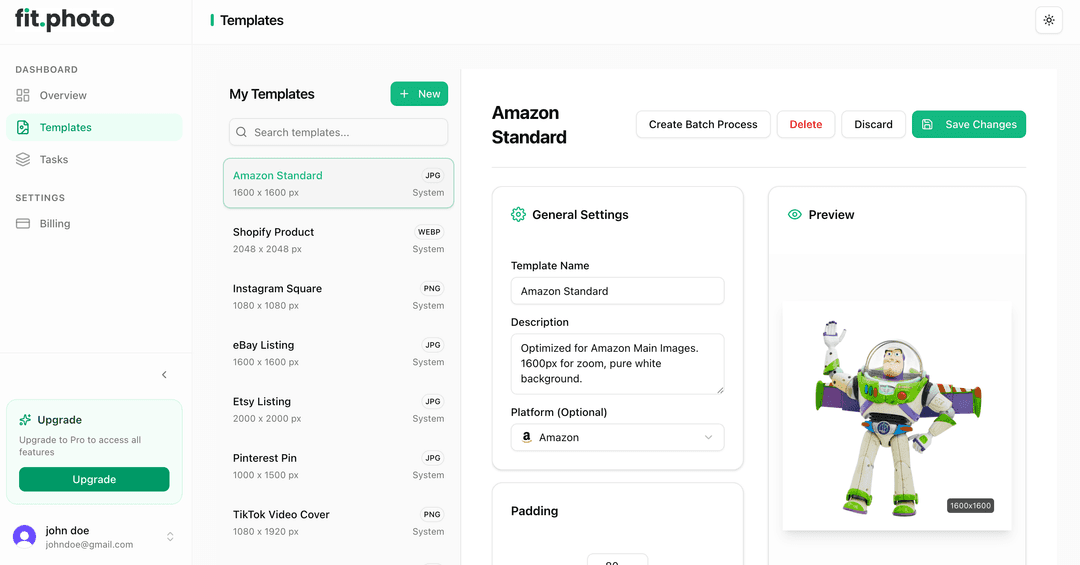
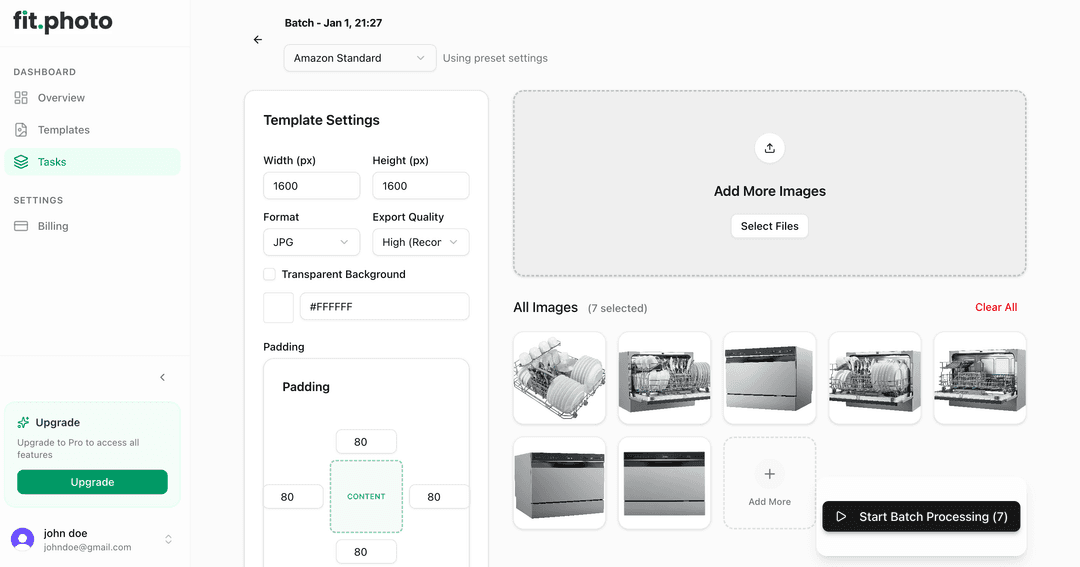
Define your output requirements once. Select your target platforms (Amazon, Shopify, etc.) and let our system handle the specific dimension and padding rules.
Verification & Export
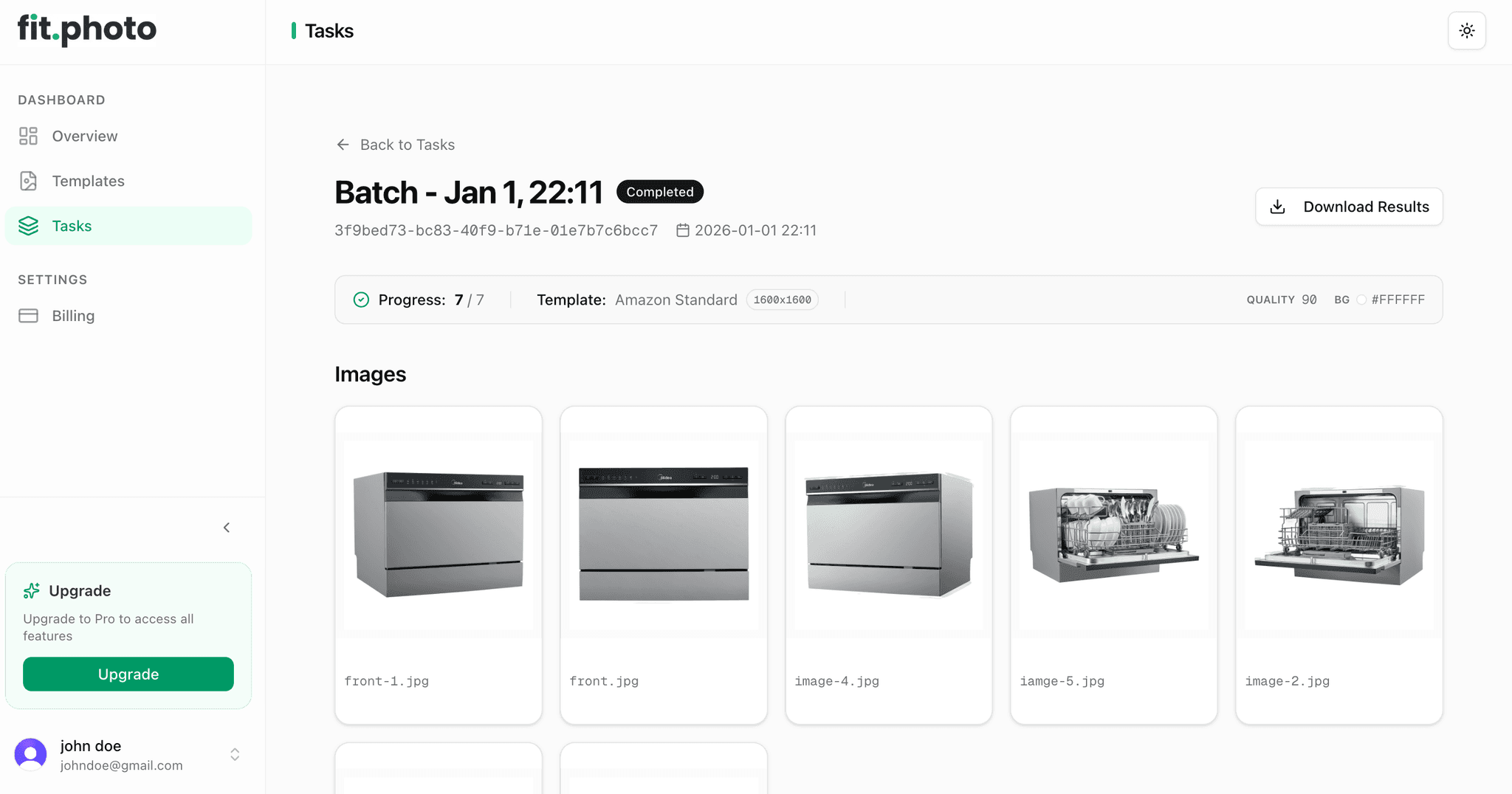
Review your processed images side-by-side. Our "After" view shows you exactly what your customers will see. Approving images automates the export to your connected channels.
Platform Standards Reference
Different marketplaces have different rules. We keep track of them so you don't have to.
| Platform | Dimensions | Background | File Type |
|---|---|---|---|
| Amazon | Min 1000px (longest side) | Pure White (RGB 255,255,255) | JPEG preferred |
| eBay | Min 500px, 1600px+ Recommended | Clean Background (White/Grey) | JPEG / PNG |
| Etsy | Min 2000px (shortest side) | Contextual / Styled | JPG / PNG / GIF |
| Walmart | Min 1000x1000px, 2200px+ Recommended | Pure White (RGB 255,255,255) | JPEG / PNG / BMP |
| Shopify | 2048 x 2048px (Recommended) | Transparent or Any | PNG / JPEG / WebP |
| Facebook Marketplace | 1080 x 1080px (Recommended) | Clean & Clear | JPG / PNG |
| Instagram / TikTok | 1080 x 1350px (4:5 Ratio) | Contextual / Styled | JPEG / PNG |
| 1000 x 1500px (2:3 Ratio) | Vertical / Contextual | JPEG / PNG | |
| Google Shopping | Min 100 x 100px | White / Transparent | Any non-animated |