
If you're selling on Amazon, your product images are your most powerful sales tool. But with Amazon's strict image requirements, getting them wrong can lead to listing suppression or poor conversion rates.
This comprehensive guide covers everything you need to know about Amazon product image requirements in 2026.
Why Image Quality Matters on Amazon
Amazon shoppers can't physically touch or examine your products. Your images are their only way to evaluate what they're buying. Studies show that:
- 83% of shoppers say product images are the most influential factor in their purchase decision
- Listings with high-quality images see up to 30% higher conversion rates
- Poor images are a leading cause of returns and negative reviews
Amazon Main Image Requirements
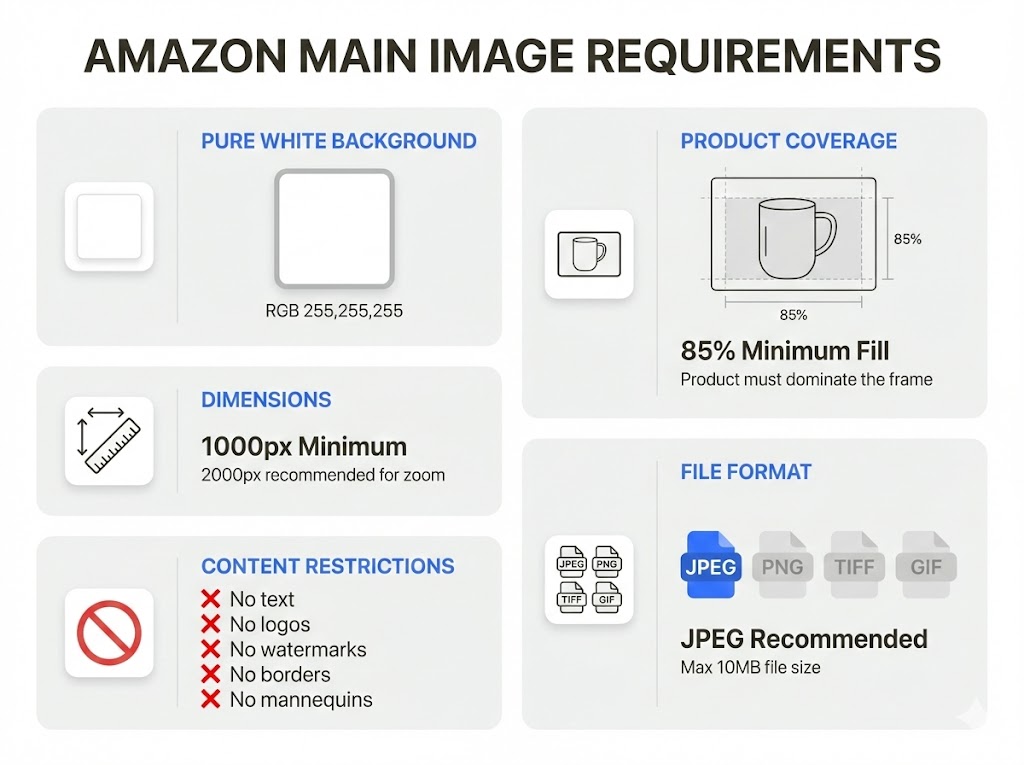
Your main image (the first image shoppers see) has the strictest requirements:
Background
- Must be pure white (RGB 255, 255, 255)
- No gradients, shadows, or off-white backgrounds
- The product must not blend into the background
Product Coverage
- The product must fill 85% or more of the image frame
- No excessive white space around the product
- Product should be centered and well-lit
Dimensions
- Minimum: 1000 pixels on the longest side (for zoom functionality)
- Recommended: 2000 pixels or higher for best quality
- Maximum: 10,000 pixels on any side
File Format
- Accepted formats: JPEG (.jpg), TIFF (.tif), PNG, GIF
- JPEG is recommended for best balance of quality and file size
- Maximum file size: 10 MB
Content Restrictions
- No text, logos, or watermarks on the main image
- No borders or color blocking
- No mannequins (for apparel) - use invisible/ghost mannequin technique
- No multiple products unless sold as a bundle
Secondary Image Best Practices
Your additional images (up to 8 more) have more flexibility:
- Show different angles and close-up details
- Include lifestyle images showing the product in use
- Add infographics highlighting key features
- Show size comparisons or what's included in the package
- Include images with text overlays explaining benefits
Common Mistakes to Avoid
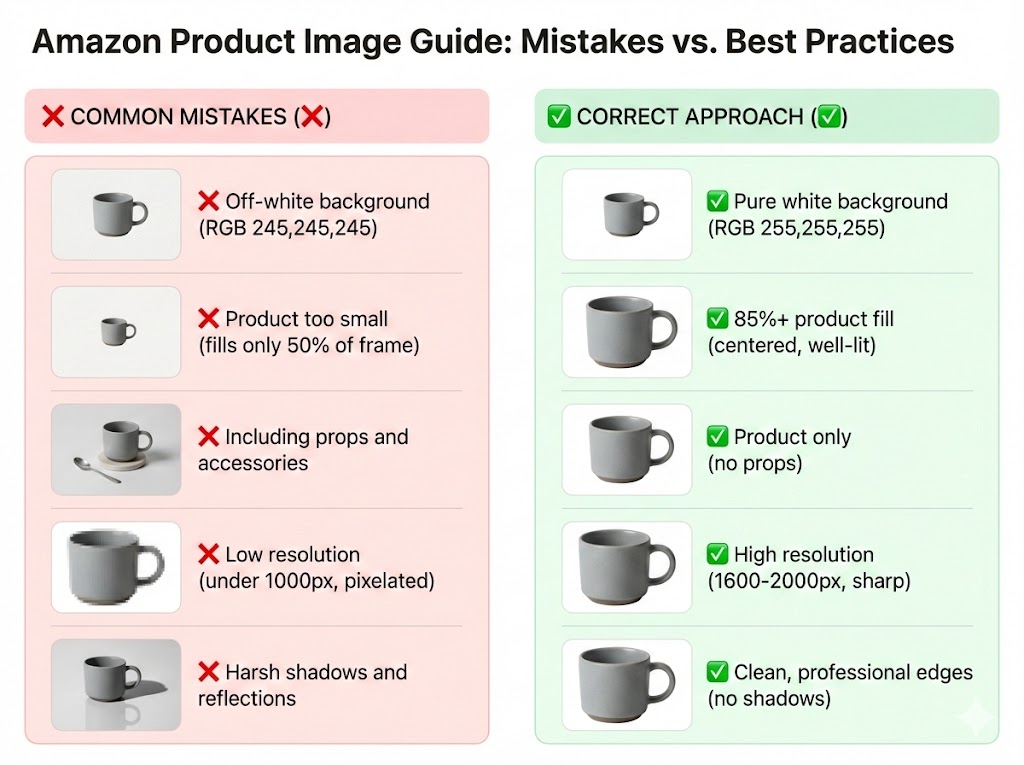
1. Off-White Backgrounds
Many sellers use backgrounds that look white but aren't pure RGB 255,255,255. Always verify with an image editor.
2. Product Too Small
If your product doesn't fill at least 85% of the frame, Amazon may suppress your listing.
3. Including Props
Your main image should show ONLY the product being sold. No accessories, lifestyle items, or props.
4. Low Resolution
Images under 1000 pixels won't enable the zoom feature, which significantly hurts conversion rates.
5. Shadows and Reflections
While subtle shadows can add depth, harsh shadows or reflections violate Amazon's guidelines.
How to Prepare Amazon-Ready Images
Step 1: Start with Good Photography
- Use proper lighting (softbox or natural light)
- Shoot on a white backdrop or plan for background removal
- Use a tripod for sharp, consistent images
Step 2: Remove and Replace Background
Use an AI-powered tool like fit.photos to:
- Automatically remove existing backgrounds
- Replace with pure white (RGB 255,255,255)
- Ensure clean, professional edges
Step 3: Resize and Optimize
- Resize to at least 1600x1600 pixels (recommended)
- Ensure your product fills 85%+ of the frame
- Compress for fast loading without losing quality
Step 4: Validate Before Upload
- Check dimensions meet minimum requirements
- Verify background is exactly RGB 255,255,255
- Ensure no text or watermarks on main image
Automate Your Amazon Image Workflow
Manually editing images for Amazon is time-consuming and error-prone. With fit.photos, you can:
- Batch process hundreds of images at once
- Automatically remove backgrounds with AI precision
- Ensure exact white backgrounds (RGB 255,255,255)
- Resize to Amazon specifications with one click
- Export in the right format optimized for Amazon
Quick Reference: Amazon Image Specs
| Requirement | Specification |
|---|---|
| Minimum Size | 1000px (longest side) |
| Recommended Size | 1600-2000px |
| Maximum Size | 10,000px |
| Background | Pure White (RGB 255,255,255) |
| Product Fill | 85% minimum |
| File Format | JPEG recommended |
| Max File Size | 10 MB |
Meeting Amazon's image requirements is non-negotiable if you want your listings to succeed. By following these guidelines and using the right tools, you can create professional product images that convert browsers into buyers.
Ready to optimize your Amazon product images? Try fit.photos free and see the difference professional images make.
Get Started Free →الوسوم
هل أنت مستعد لتحسين صور منتجاتك؟
ابدأ في معالجة صور التجارة الإلكترونية الخاصة بك باستخدام أدوات مدعومة بالذكاء الاصطناعي. لا بطاقة ائتمان مطلوبة.
جرب Fit Photos مجاناً